
Using ChatGPT and Other AI Tools in Language Teaching

An AI assistant can give a teacher a first draft of a text, activity or set of examples. The useful part is deciding what to ask for and checking whether the result fits the learner. The examples below show how to make those requests specific and how to check the output.
What do we mean by AI?
Artificial intelligence, or AI, is a broad field concerned with computer systems that perform tasks such as processing language, recognising patterns and generating content. Examples include machine-learning systems, chatbots and virtual assistants.
ChatGPT is one example of an AI assistant that responds to prompts in a conversation. The tasks it can perform depend on the tools and version being used.
Elizaveta Pachina, an English teacher and online-school founder, describes using ChatGPT for text and image-related work. Teacher Dinara Kasimova describes using AI to create grammar tables, activities and examples connected to learners’ lives. Their teaching examples below concern the preparation process, not a claim that they use a particular Edvibe account.
Using AI to prepare language lessons
You can experiment with prompts for lesson preparation, course planning and classroom activities.
For example, an assistant can draft exercises around the vocabulary or grammar a particular learner needs. Include the learner’s level, interests and the purpose of the task rather than asking for a general exercise.
A prompt might be: “Write ten questions for a B1 learner using these words: [list].” Other possibilities include drafting a quiz, a short article, an exercise or a speaking activity. Review the output before using it.
Edvibe AI+ can generate an exercise within a template. Select Generate, specify the topic, level and goal, then review the draft. If it misses the point, give feedback and revise it before inserting the result into the editor.
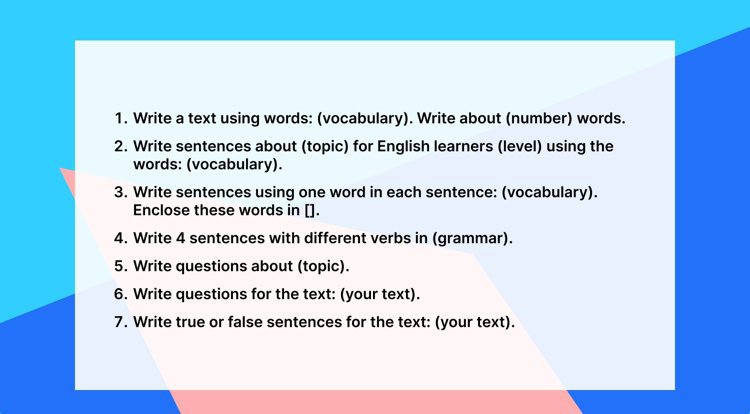
Dinara describes using the assistant to draft the following parts of a course:
- A programme based on the learner’s needs and goals.
- Lesson plans using a student-centred approach and the information supplied.
- Target vocabulary.
- Exercises for the stages of each lesson.
In Edvibe, the AI chat can help with lesson plans and task wording, while generation within a template produces content for that activity type.
Images, speech and text recognition
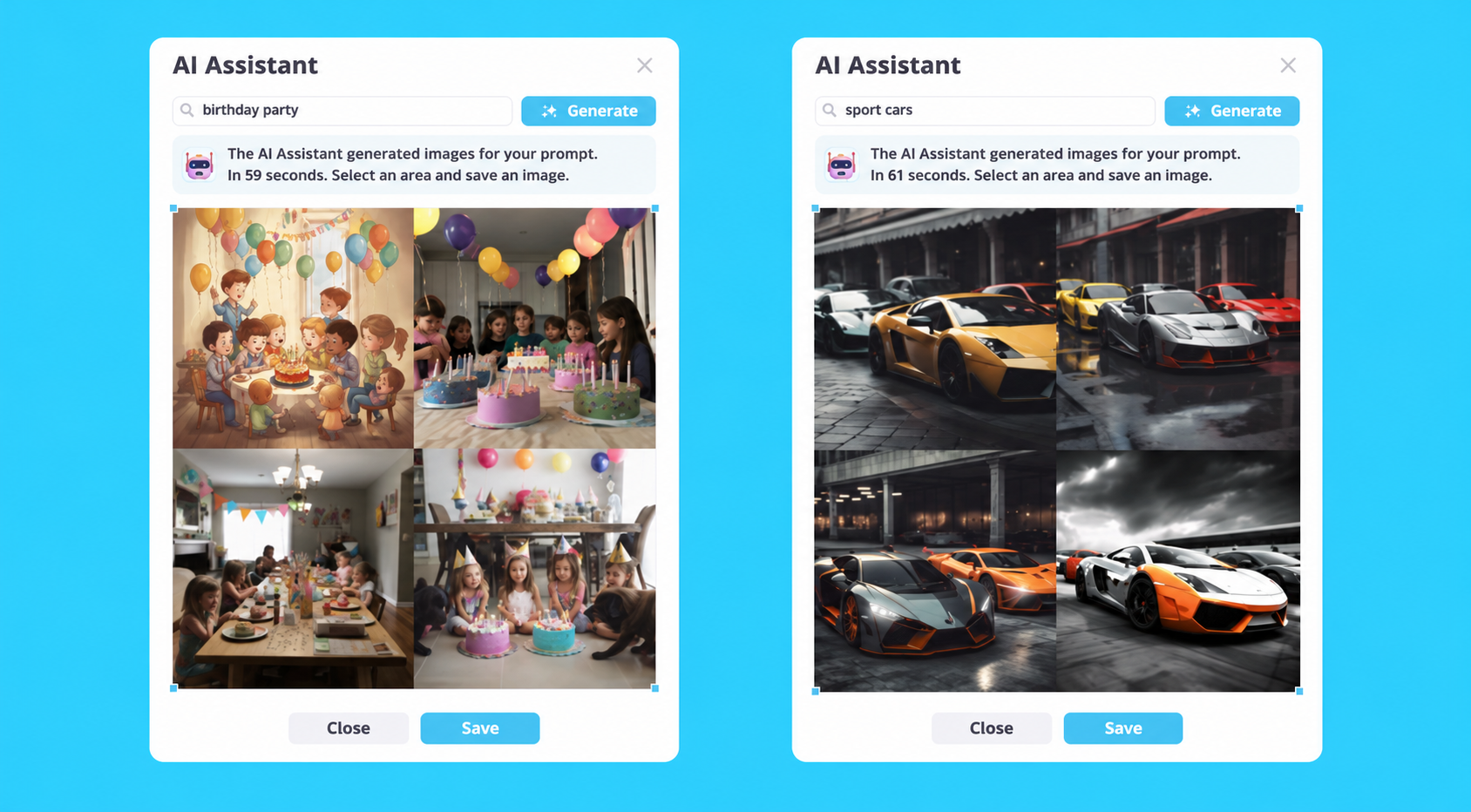
Edvibe AI+ also supports image generation, image text recognition, audio transcription and text-to-speech. Choose the tool for the material you need instead of trying to solve every preparation task in one prompt.

Image generation also begins with a description. Examples might include “a woman reading a book in a cosy living room” or “a family with two children in a living room with toys.” Describe the details that matter for the lesson rather than relying on a vague request.
If the image is meant to support a language task, check that all objects needed for the answer are clearly visible. Add an instruction that tells the learner what to do with it.
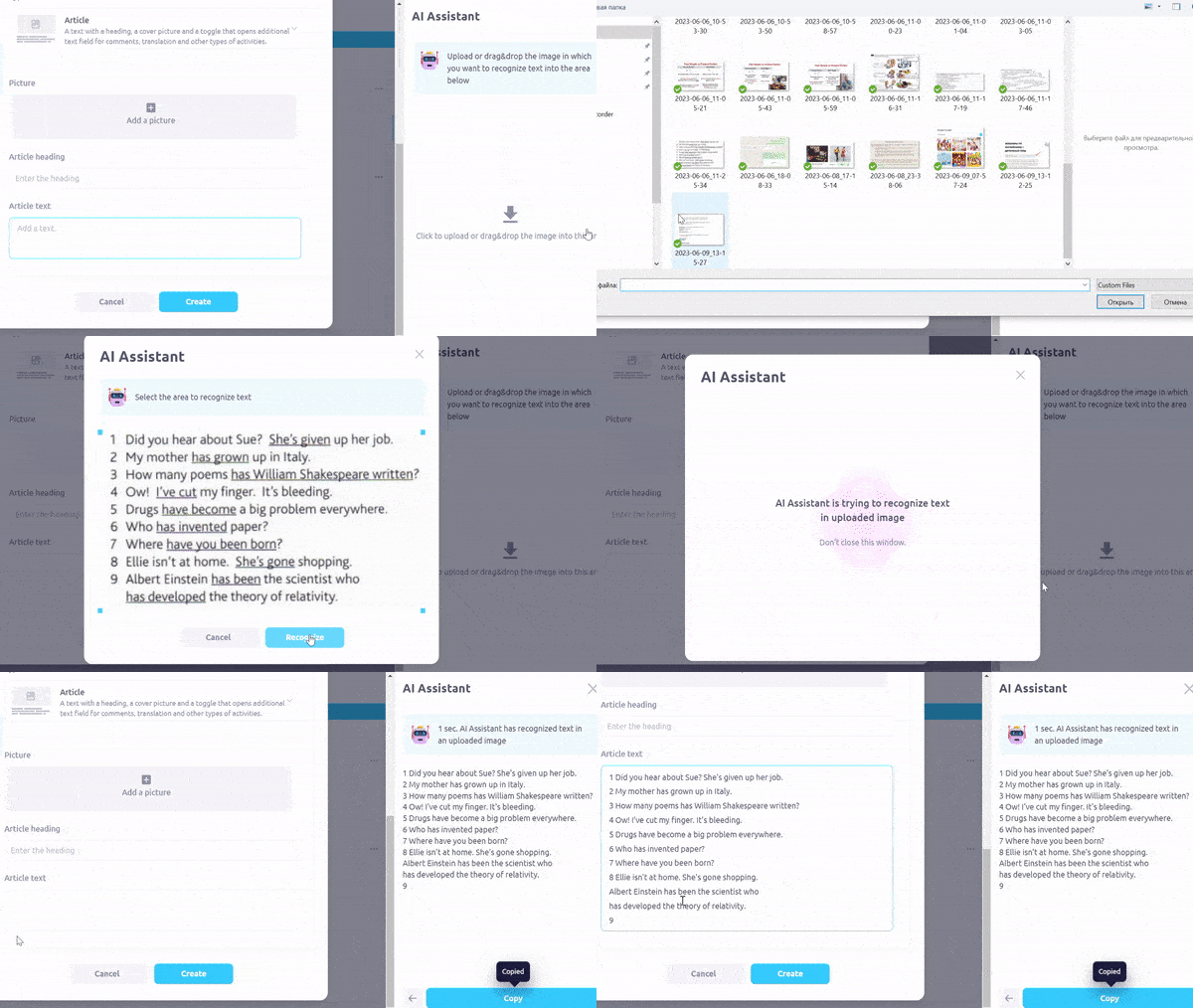
Text recognition can turn writing in a textbook image or screenshot into editable text. Edvibe AI+ can recognise text in an uploaded image and extract it for editing. This can help when working with material you have permission to use.
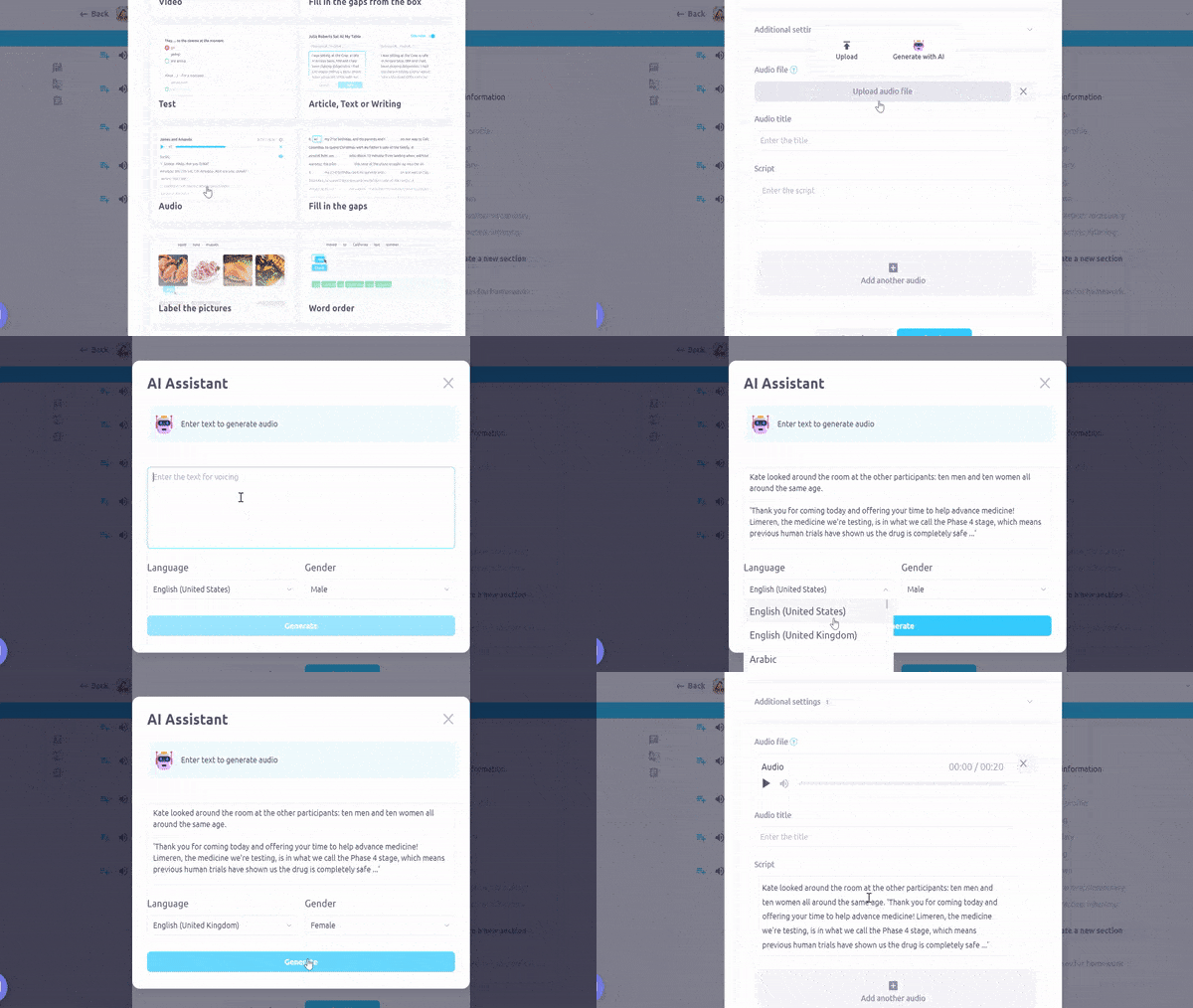
For an audio activity, the teacher supplies a script containing the required words or grammar and chooses from the available voice options. Listen to the generated audio before class: check the pronunciation, pace and match with your script.
What can go wrong?
Check AI-generated material before putting it in a lesson. An assistant can misidentify a grammar structure, offer an inaccurate explanation or fill a text with unnecessary wording. A confident answer is not proof that the explanation is correct.
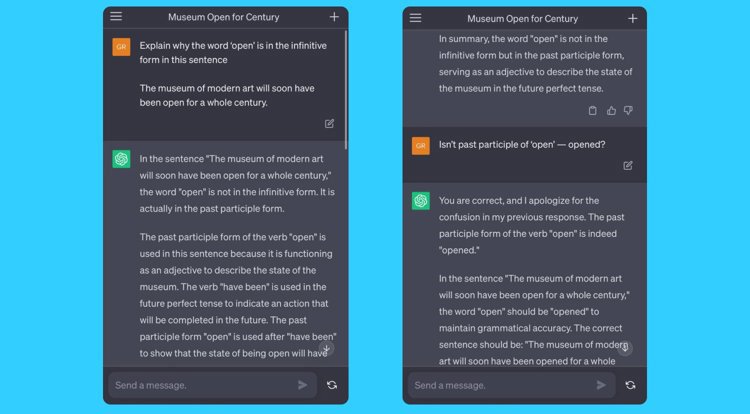
Clearer prompts and follow-up corrections can improve a draft, but they do not replace a teacher’s judgement. Check examples, level and purpose before the activity reaches a learner.
Three preparation prompts to try
- A2 vocabulary: “Write six short situations about buying food. Each situation should require one phrase from this list: [list]. Give an answer key separately.” Check that each situation has a clear answer.
- B1 speaking: “Create a role-play about renting an apartment. Give the tenant and owner different priorities, and include these phrases: [list].” Read both roles and make sure the information creates a reason to ask questions.
- Review: “Write eight examples using the language from these notes: [notes]. Include two errors for the learner to find, and explain the corrections separately.” Check every explanation before using it.
In Edvibe, use AI+ inside an exercise template, review the draft and make the final edits in the lesson editor.


