
How to Teach Children Online

Teaching children online involves more than choosing activities. Here are ways to organise the practical details and respond when a lesson does not go to plan.
Preparing for online lessons with children
All lessons need preparation, but children’s lessons can involve a few more arrangements. Sorting them out early makes things easier for the teacher, learner and family.
Help the child set up a learning space
Ask parents to provide a table with as few distractions as possible. Agree on what to do with phones, unrelated browser tabs and messages during the lesson.
Prepare your own space
Choose a background that does not compete with the activity. A simple area of the room, a suitable virtual background or a blur function may help.
Agree on classroom routines
For example, you might ask the learner to connect three to five minutes early and send a reminder with the link.
- Explain when and how you give feedback, and how learners can respond.
- Show where homework appears and how to complete it.
- Discuss the main expectations with the child and parents. Keep a short version in the chat or lesson materials.
- Revisit the key routines at the start while they are still new.
Discuss cameras
A camera can help you notice expressions and use gestures in response. Explain why it may be useful and agree on an arrangement that takes the child’s comfort, privacy, accessibility and connection into account. Keep your own face visible where appropriate.
Introduce the platform
If a child is still working out where to click, that can distract from the activity. A short introductory session gives you time to meet and explore the timetable, materials, homework and messaging.
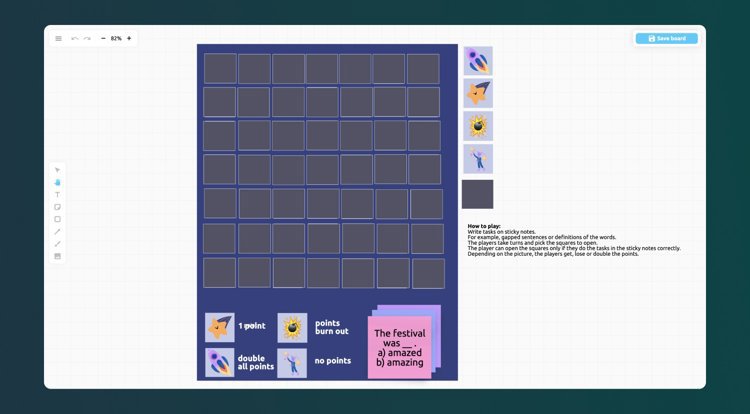
Make the introduction a small game. In Edvibe, a whiteboard, word-order exercise or picture-matching task can help the child practise using the tools while doing something they understand.
Involve parents
Younger learners often need more practical support from an adult. Ask about the child’s interests and use them when choosing activities. Parents may help with the timetable, attendance and homework; some join lessons with children under seven.
Discuss that role in advance. They might help with the device without correcting every answer or speaking for the child.
Working with children during the lesson
You will need to watch how the individual child responds and adapt the pace. These are approaches teachers describe using.
Tell them what is coming
A short preview gives the learner something to look forward to.
Compare:
❌ “Today we will study prepositions and food vocabulary, do exercises and practise speaking.”
✅ “We will start with a cowboy game, solve a crossword and help Peppa Pig.”
Keep explanations short
One way to remember this is a “three-minute rule”: explain a small amount, then let the learner do something with it. Treat the time as a planning reminder, not a fixed attention limit for every child.
“An online lesson should not turn into a long lecture. Keep talking with the child, asking questions and inviting examples of what you have just explained,” says Russian teacher Galina Yakimova.
Vary the activity
Pictures, short videos, cartoons, quizzes, drawing and games give children different ways to work with the language. Change the activity when that helps the goal, rather than adding variety for its own sake.
Here are examples of activities on a virtual whiteboard:
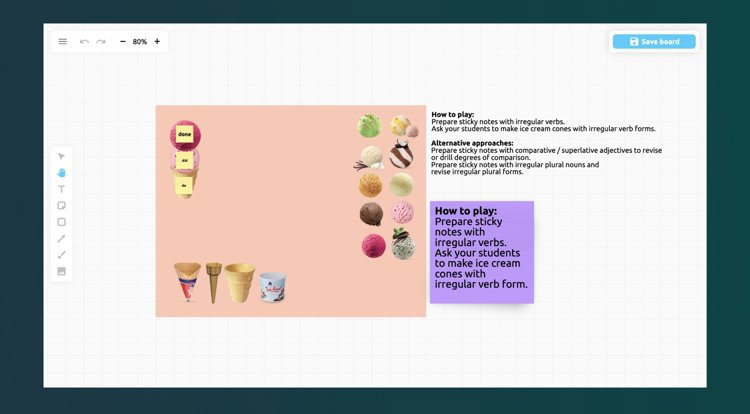
For a simple board game, draw three objects, ask the child to name them and then hide one. Ask which object is missing before the next round.
With ten-to-twelve-year-olds, we may spend four minutes on an exercise. With five-to-nine-year-olds, I may have only a minute and a half or two. That means preparing more short tasks and connecting them logically through the lesson.
Elena Biryukova, an English teacher at Skyeng, describing her practice.
Mix screen activities with something physical. For example, ask the child in English to get paper and draw a ball, book, toy, bear or fish.
Use audio and video
These can be particularly useful when learners are not yet reading confidently.
My learners are young; the oldest are ten. Many cannot read yet, so I cannot rely on written texts. We start by listening and speaking, then move towards reading and writing.
Elena Stepanova, founder of English4Kids.
Elena uses voice messages to read out tasks and asks learners to record their responses. Her example is about giving a child who is not yet reading confidently another way to understand and answer.
I add questions in writing and as audio, then the answer options. After that, I add a Record button so they can say the correct answers aloud.
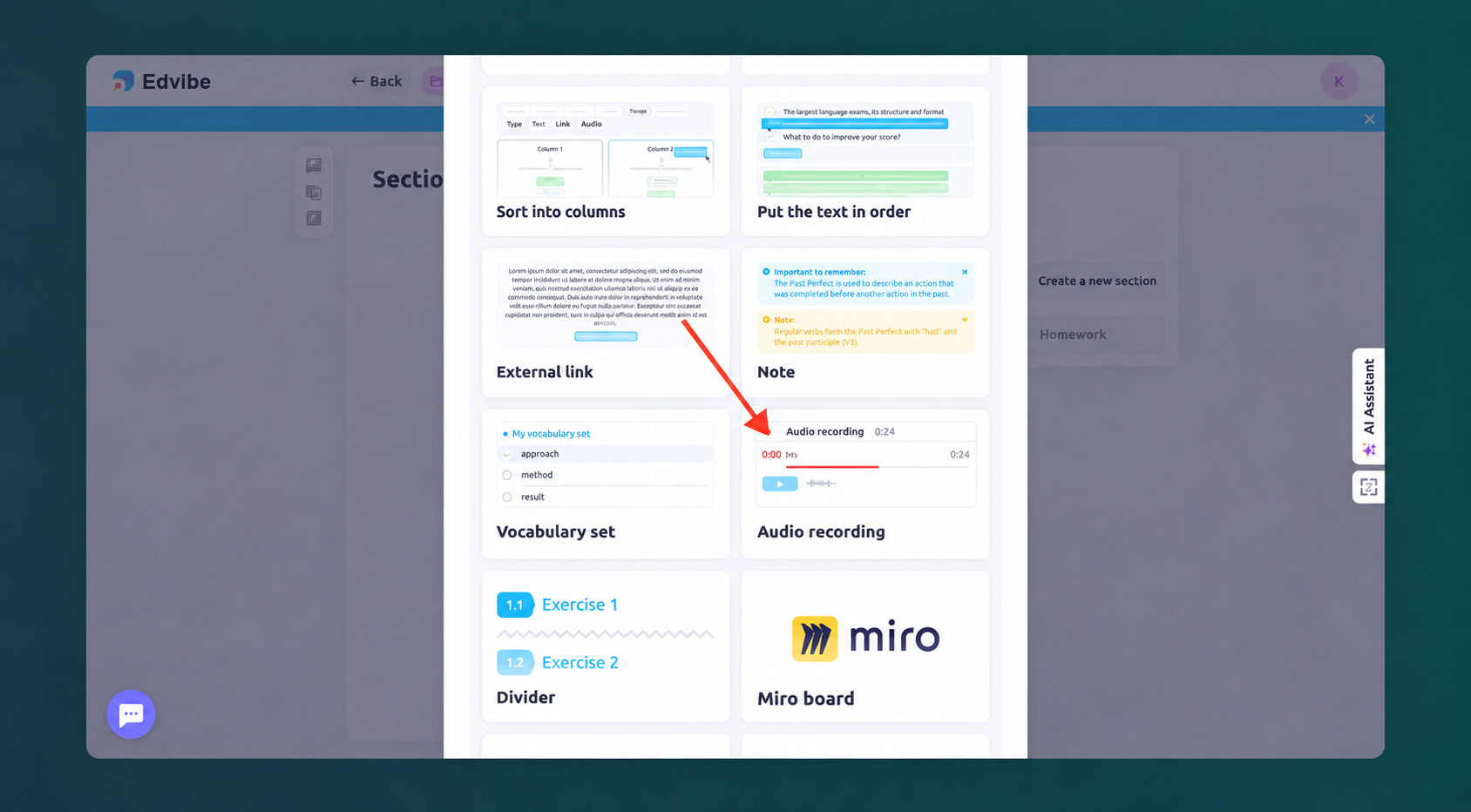
To explore the features described, see the current Edvibe options.
Keep a conversation going
Questions do not always have to stay narrowly on the exercise. You might ask what a younger learner had for breakfast or what they can see through the window, giving them a manageable reason to respond.
The questions should reflect the individual learner’s age and interests. Role-play may suit a younger child, a small project may work with a primary-school learner, and a teenager might prefer discussing shared interests or future plans. These are possibilities, not rules that apply to every age group. Your choice of first language or target language also depends on the learner and the teaching approach.
Try indirect and non-verbal communication
A direct question is not always the easiest way to begin. Senior Materials Writer Anastasia Lagutkina suggests two activities:
- Negative feelings dustbin
Invite learners who want to participate to write a negative feeling on a sticky note, then move it into an online bin. Keep it light and optional rather than requiring a child to disclose something personal.
- Crazy compliments
At the end, learners can thank one another. Agree that comments should be kind. For the first round, offer sentence beginnings to complete.
Teachers also use gesture, expression, intonation and changes of pace to make meaning clear and draw attention to an activity.
A smile, open gestures and expressive communication matter in my work with children. Total Physical Response is useful: learners encounter words and phrases through actions, instructions, mime and games. You may find yourself making animal sounds, moving around and showing different emotions. There is a real element of acting.
Maria, a language teacher.
Make room for movement
Plan brief chances to look away from the screen, stand up or move comfortably, adjusting them to the learner and setting. The teachers interviewed say movement helps them restart an activity. Younger children may need those changes more often.
We get up about three times during a lesson. I give instructions in English, such as bring a toy or hide a toy.
Elena Stepanova, describing her lessons with children under ten.
Use humour and short pauses
A joke or an amusing story after a demanding task can give the lesson a little breathing space. Learners get to see the person teaching them, as well as the next exercise.
Try a lesson quest
A quest gives learners a reason to use language to reach a goal. One teacher describes searching with a child for a magical crystal stolen by a villain. They practised prepositions along the way. The child was delighted to discover a real crystal, arranged with their mother, under the table.
A shared task or project can work similarly: plan a journey, choose tickets or find an excursion. The point is to use language for the task, rather than discuss a rule in isolation. This example reflects an approach associated with the work of Russian educator Galina Kitaygorodskaya.
Give visuals a purpose
Videos, images and physical objects can make an activity easier to enter. Teachers use toys, masks and props to start conversations and show meaning.
A toy can become a puppet guest. Ask the learner to find out its name and age, giving them a reason to ask, “What is your name?” and “How old are you?”
You can also build useful language into the lesson background. Here is an example created around a child’s classroom materials:
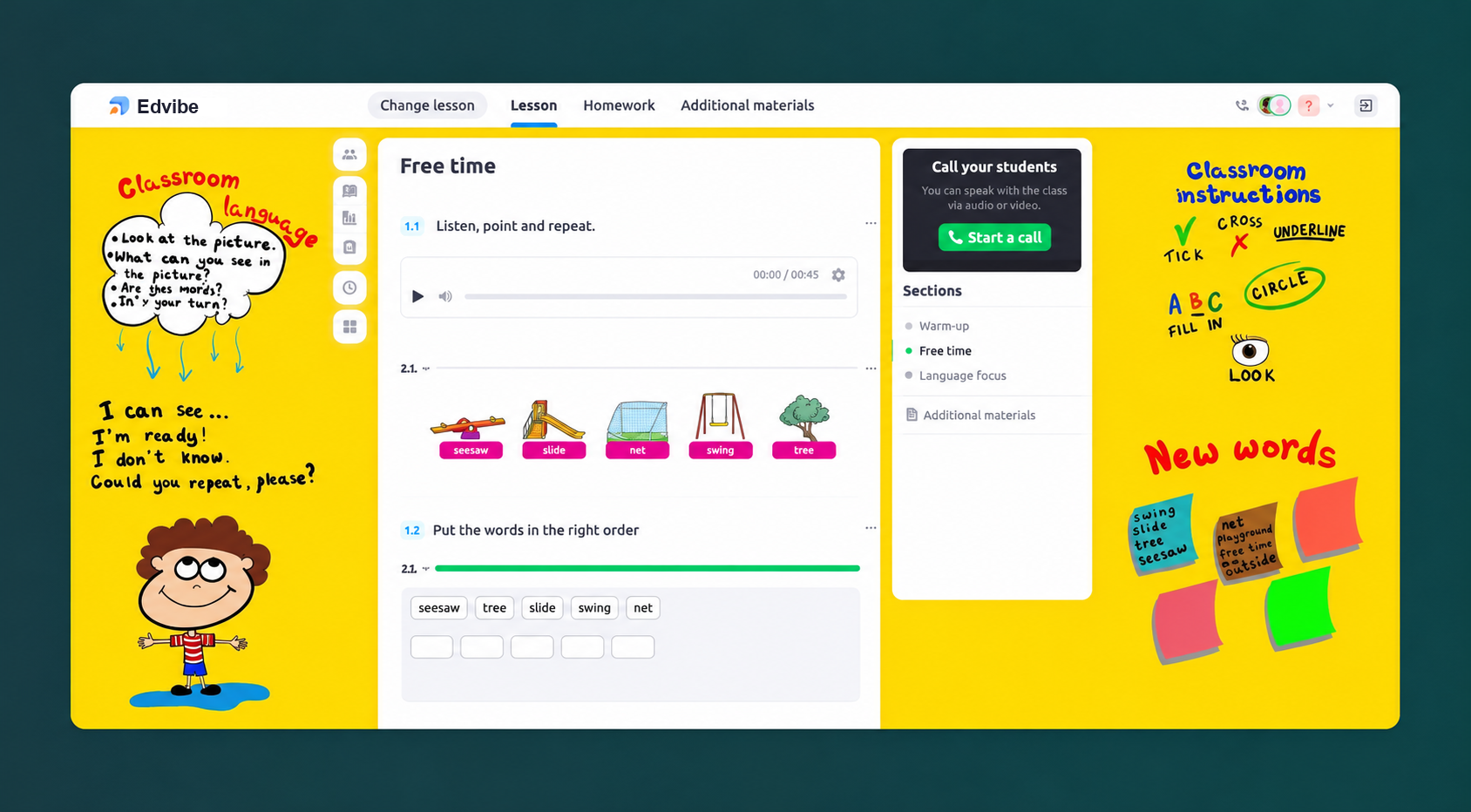
We are working through Family and Friends 1, and I decided to draw a background with classroom language for both me and the learners, instructions and sticky notes for the words we are studying.
A teacher describing the design in her Telegram channel.
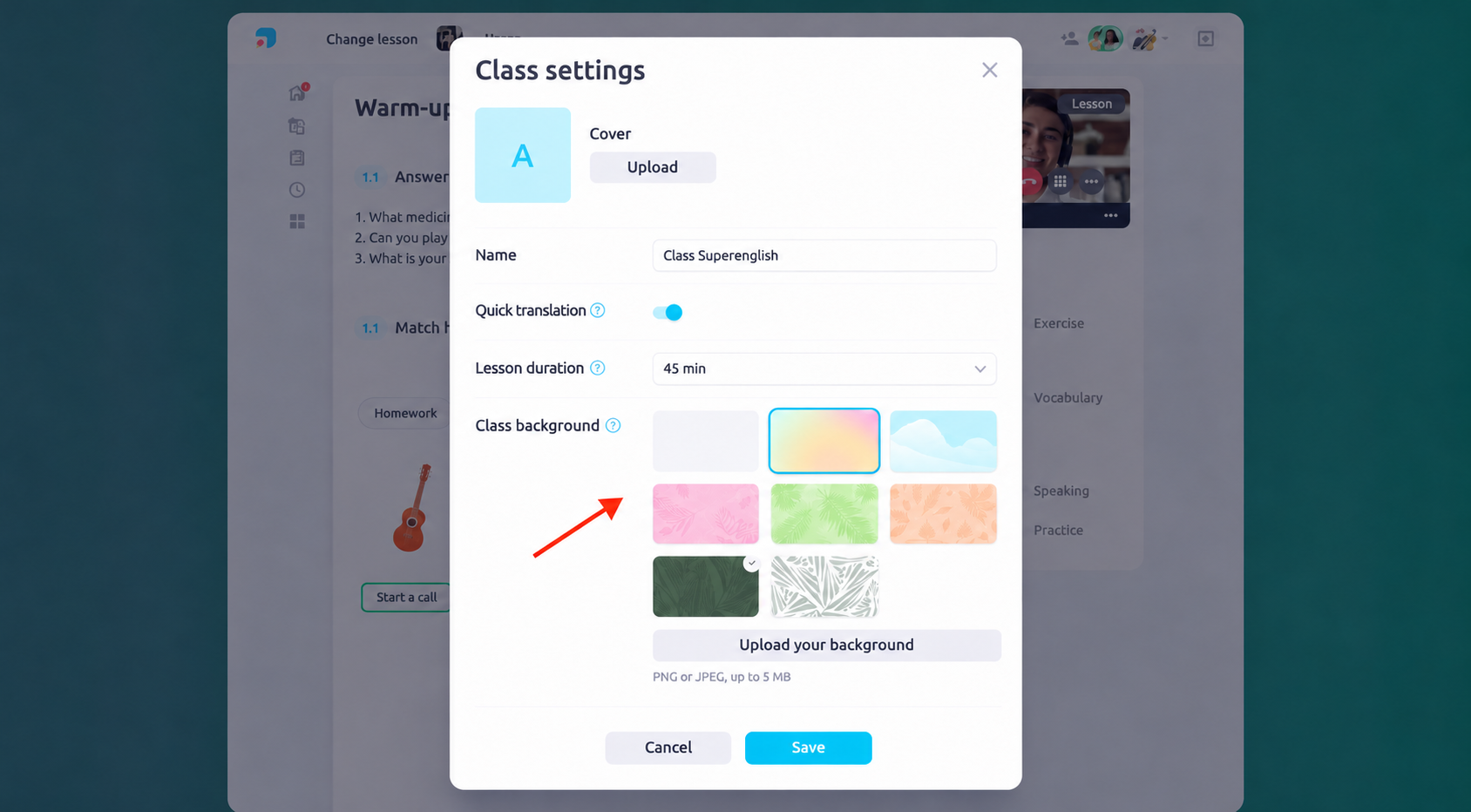
Edvibe supports lesson backgrounds. Keep the part behind the exercises simple, and check that any useful language in the image is large enough for the child to read.
What should you be prepared for?
Children may make it very clear that they are bored, uncomfortable or not interested. Be ready to change the pace, try another route into an activity or take a pause.
Maria describes two different first lessons:
With one boy, I spoke mostly Russian at first so he could get used to me. Another child did not respond at all in the first lesson and turned away. I had to interest him with toys. I showed him my toy cars, and he showed me his.
Talking with parents is another part of the work. They may not recognise what a child has learnt if they test it in a different form. A child who understood a word through a picture, for example, may not immediately produce it in response to a translation question. Explain what you practise and how parents can support it.
What to keep in mind
- Agree on practical routines and communicate with parents.
- Use games, quests and creative activities with a clear language purpose, and plan opportunities to move.
- Use expression and gesture to help learners understand and participate.
- Choose audio, video, images and props to suit the child and the task.
For classroom tools to support these activities, explore Edvibe and its current trial terms.


